
You must be logged into the Zoom desktop application in order to see contacts or invite participants by name instead of by email only.
Follow the steps outlined to login into the desktop application.
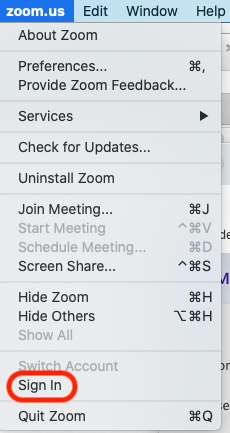
- Click zoom.us --> Sign In
- Click on Sign in with SSO

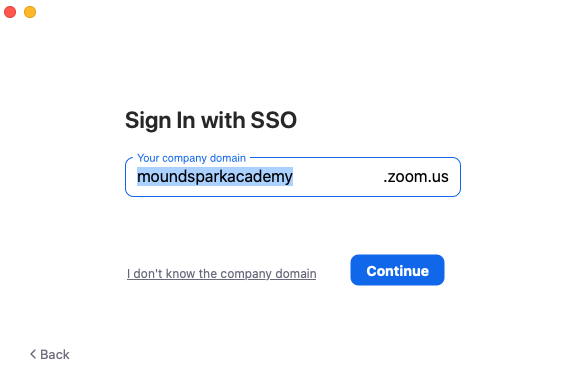
- Type moundsparkacademy
- You may be prompted to sign into your Office365 account, otherwise you are all set.
After completing the steps outlined about you should see the Contacts option in your Zoom clients as well as your upcoming meetings for the day.
0 Comments