
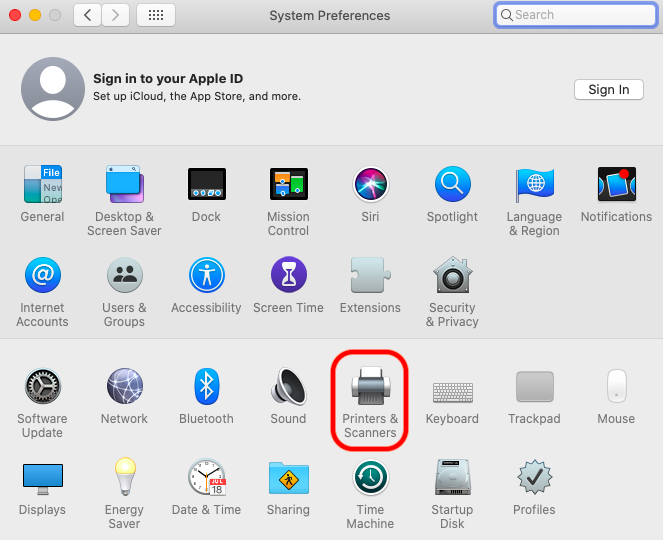
Click the Apple --> System Preferences

Click Printers & Scanners
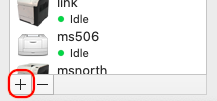
Click the + sign at the bottom of the printer window
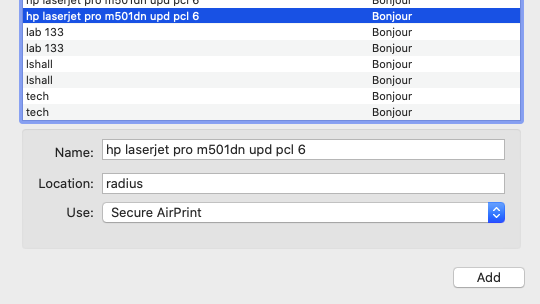
Find the wireless printer in the list then click Add.
Click the Apple --> System Preferences
Click Printers & Scanners
Click the + sign at the bottom of the printer window
Find the wireless printer in the list then click Add.
0 Comments